This is the fourth post in the series about tpm-ca-certificates.
If you’re new to this series, I recommend starting with the first one.
Sad Reality
Recent events remind us that software supply chain attacks are increasingly frequent and sophisticated.
This is highlighted by the non-exhaustive list of recent attacks below:
Through various strategies, attackers are able to compromise the software supply chain and publish malicious artifacts (e.g., npm packages, Docker images, binaries, etc.). In this context, it’s crucial to adopt a proactive approach to secure the CI/CD process as much as possible.
When I started working on tpm-ca-certificates, I quickly realized the importance of adopting a defensive posture in CI/CD.
(Light) Risk Assessment
Context
- the repo is hosted on GitHub, so it’s exposed to vulnerabilities specific to this platform
- the repo produces several types of artifacts:
- a binary
- an SDK
- an OCI image
- PEM bundles + a checksum file
Risk
The main risk is that an attacker could compromise the release process to publish artifacts containing malicious code.
Mitigation Measures
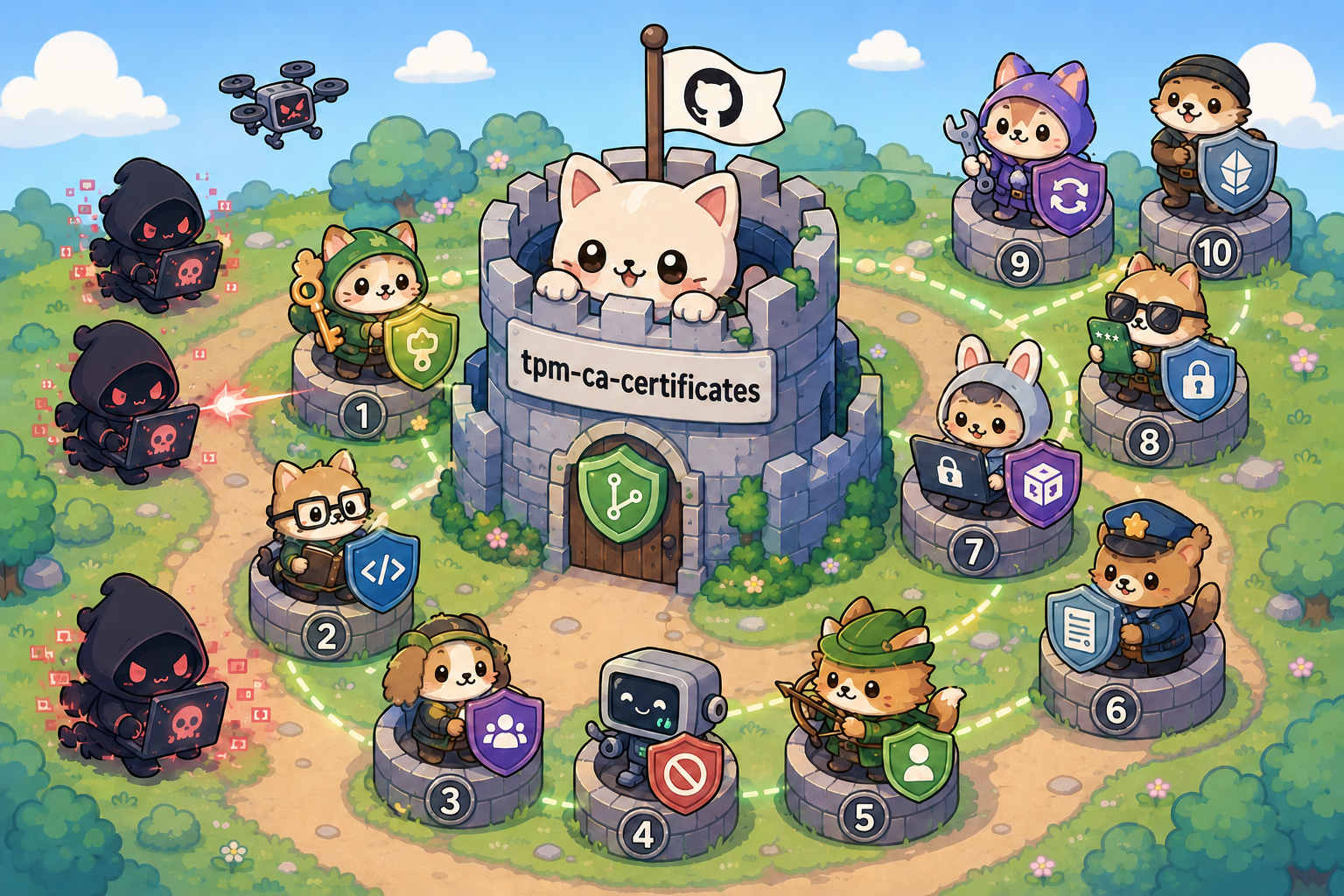
Note: image generated by ChatGPT
Part of the mitigations comes from The Geomys Standard of Care, which is a comprehensive guide to best practices in securing software supply chains.
The mitigations are not ranked by importance.
1. Secure Credentials
The private key associated with my SSH access is stored securely in a TPM (Trusted Platform Module), which ensures it cannot be extracted.
I also have a backup key that is stored in a YubiKey if needed.
- For hardware backed key (long-term credentials), there are:
- ssh-tpm-agent
- yubikey-agent
- secretive (for macOS)
- For short-term credentials, consider using git-credential-oauth
2. Mandatory Code Review
All changes must be reviewed and approved by at least one other developer before being merged into the main branch.
3. Limit Risks from External Contributions
Some attacks are initiated from a fork because they take advantage of certain leniencies allowed by GitHub Actions, as shown in the image below:
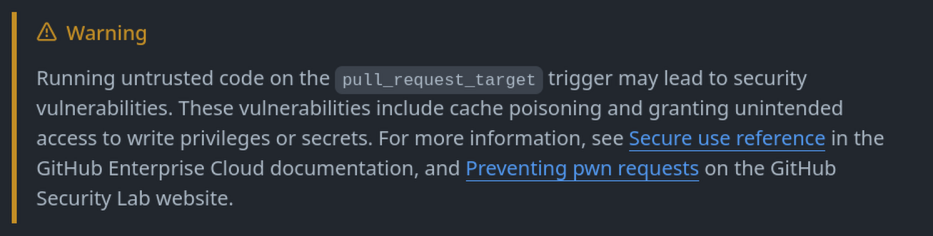
Source: GitHub's documentation (link)
To address this, the repo:
- doesn’t use
pull_request_target - enables manual approval for each external contribution (as shown in the image below).
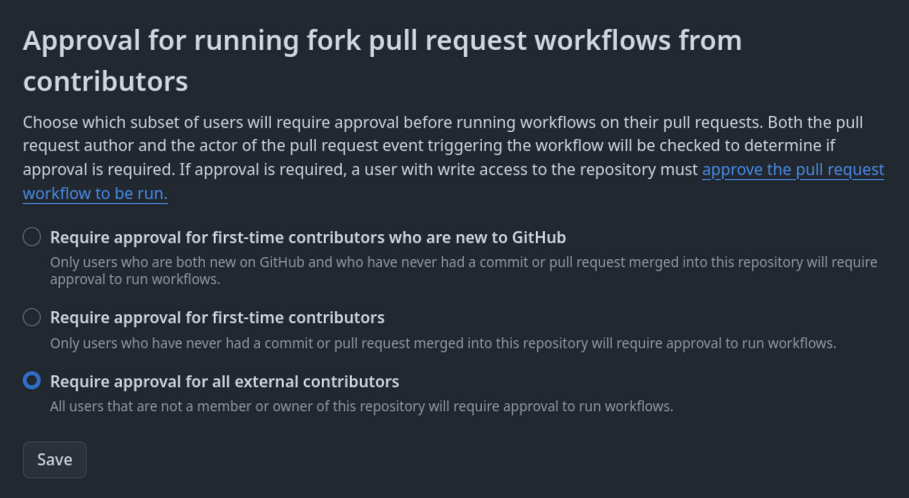
The limited number of contributors on the repo doesn’t create a bottleneck.
4. Disable Cache Usage
A common attack involves corrupting a repo’s cache to run malicious scripts and compromise the supply chain.
This type of attack is called cache poisoning, and there’s abundant literature on the subject.
This article written by Adnan Khan perfectly introduces this concept.
Since the project is “small”, I can completely do without using cache and thus avoid the associated risks.
5. Use Least Privilege
GitHub Actions allows configuring the permissions of tokens used in pipelines. It’s important to limit these permissions to the strict minimum necessary for each job (e.g., read-only for build jobs, write-only for deployment jobs).
This helps reduce the potential impact of a compromise.
6. Enforce Security Policies
zizmor is an open-source tool that scans GitHub Actions pipelines to surface security findings and apply associated remediations. It’s an effective way to automatically ensure that rules 3, 4, and 5 are enforced.
This link lists all the rules supported by the tool.
7. Run Unsafe Jobs in a Sandboxed Runner
There may be cases where “unsafe” code is executed in a particular job. For example, this could involve a job that runs unit tests with all external dependencies on latest. One of the dependencies could be compromised and execute malicious code. That’s why it can be relevant to run these jobs in a sandboxed environment, isolated from the rest of the infrastructure.
geomys/sandboxed-step makes this possible by providing a sandboxed environment with gVisor along with other security mechanisms.
8. Enable MFA
WebAuthn is enabled on my GitHub account to have strong MFA when I need to perform sensitive actions.
9. Dependency Update Policy
This project doesn’t use automatic dependency update tools like Dependabot. When managing multiple projects in parallel, this type of tool generates more noise than value.
Instead, the project adopts a pragmatic security-focused approach:
govulncheckruns daily to detect vulnerable dependencies. When a vulnerability is identified ➡️ we bump the affected dependency.- Need-driven updates: dependencies are updated when the project requires a new feature provided by a more recent version.
go testruns daily with the latest dependency versions (in a sandboxed runner) to detect breaking changes as early as possible.
This approach balances security and intentionality, ensuring that updates happen for concrete reasons rather than in autopilot mode.
10. Immutable Release
GitHub provides a feature that prevents modification of assets associated with a release once it’s published. This ensures that distributed artifacts and tag cannot be modified, thereby strengthening the security and integrity of releases.
I invite you to read GitHub’s official documentation on immutable releases for more details.
GitHub produces an attestation for this type of release that a user can verify to ensure the presence of this property.
This feature was recently introduced to the repo, so for now the SDK does not yet perform automatic verification.
Conclusion
We’ve seen in this post the different layers that make up the project’s security (and there are undoubtedly other aspects to consider). In the next article, we will focus on the monitoring mechanisms put in place to throw alerts if there are issues with the bundle.