This is the seventh and final post in the series about tpm-ca-certificates.
If you’re new to this series, I recommend starting with the first one.
As we saw in the previous post, tpm-ca-certificates provides an SDK that simplifies integration with the bundles issued by the project. When I create an API (i.e., a business interface contract), it seems essential to me to test it with a project to validate its proper functioning and ease of use. Indeed, it’s a good way to see design problems and correct them quickly.
This post will present that project: tpm-trust!
Overview

The mission of tpm-trust can be summed up in one sentence: validate that a TPM is authentic.
In the first post of the series, we saw how to go about this.
Here’s a quick reminder below:
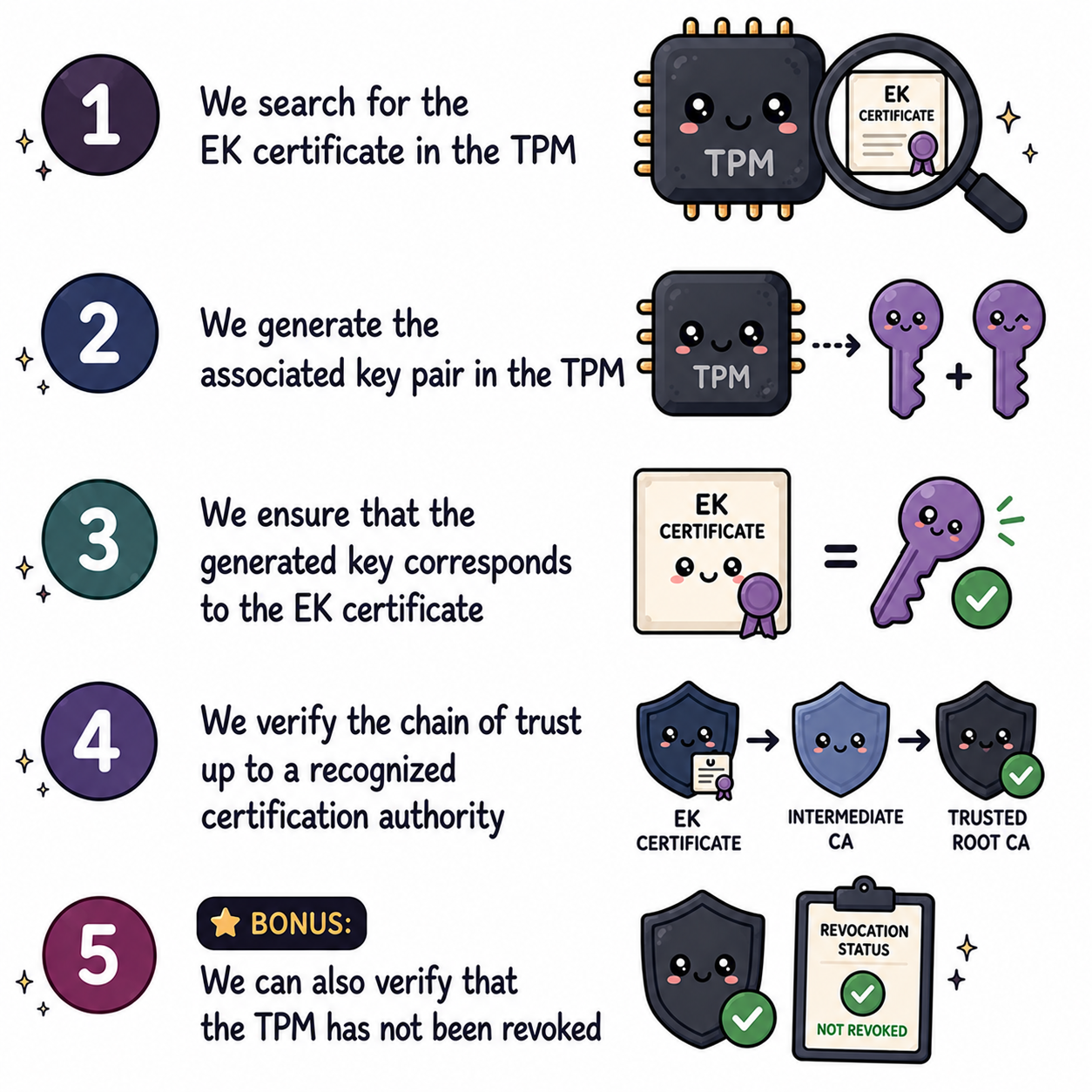
Note: image generated by ChatGPT
tpm-ca-certificates provides the intermediate and root certificates seen in step 4. tpm-trust handles all the steps (including step 5) to make the operation completely trivial.
The project is a CLI (Command Line Interface) that you simply use on a Linux or Windows machine.
Features
To work, tpm-trust will likely require privileges to access the TPM.
- Linux: the tool will automatically request the necessary privileges via
sudoif required. - Windows: the tool must be run with administrative privileges (start a terminal with
Run as Administrator).
Installation
Thanks to the community for making the tool available on Arch Linux and NixOS!
go install github.com/loicsikidi/tpm-trust@latest
paru -S tpm-trust-git
nix-shell -p tpm-trust
1. TPM Validation
When a TPM is authentic, here’s what you’ll see:

Playbook to do it yourself
tpm-trust audit
tpm-trust audit ecc-nist-p384
tpm-trust audit --skip-revocation-check
If you encounter a bug or tpm-ca-certificates doesn’t include one of the necessary certificates, don’t hesitate to open a ticket on the GitHub repository.
2. Reading Certificates
Several commands allow you to read the certificates present in the TPM.
certificates list: lists all certificates present in the TPM.certificates get <KEY_TYPE>: displays the details of a specific certificate (text or PEM format).certificates bundle: displays the intermediate certificates stored in the TPM.
Use the --help flag to get more information about the commands and their options.
3. Displaying TPM Information
The tpm-trust info command allows you to display detailed information about the TPM present on the machine.
tpm-trust info
Conclusion
In the first post, I regretted the fact that we didn’t bother to properly validate a TPM. Mainly due to the fact that trust roots were scattered. The duo tpm-ca-certificates and tpm-trust solves this problem in a way that I find effective and reliable.
That brings us to the end of this series — thank you for following along! I hope you enjoyed reading it as much as I enjoyed writing it.
See you next time!